A used Apple TV can give an older HDMI television a more useful second life: streaming apps, iPhone control, AirPlay and, with the right setup, Apple Home features. The sensible purchase is a working model that fixes something you actually dislike, with the remote and cables included in your budget.
If you have spotted cheap boxes on Facebook Marketplace or Gumtree, start with the model number. A low asking price does not reveal why somebody is selling, whether the apps you need still work or what replacements will cost. This research-based guide explains five practical uses and what Australian second-hand buyers should check. Information checked 23 October 2026; no marketplace listings or resale price averages were measured.
Before you dive in
Which used Apple TV should you look for?
Our starting shortlist is Apple TV 4K from 2021 or 2022, provided the complete price makes sense. Apple’s tvOS 27 security documentation lists support for Apple TV 4K second generation and later. An older box does not instantly stop working when it misses a major update, but app support and future usefulness become more important buying checks.
| Model to verify | Network and Home distinction | Buying implication |
|---|---|---|
| 2021 4K, A2169 | Ethernet and Thread; 32GB or 64GB | Worth comparing when condition and total price are good. |
| 2022 4K Wi-Fi, A2737 | 64GB; no Ethernet or Thread radio | Useful for Wi-Fi streaming; do not buy it expecting built-in Thread networking. |
| 2022 4K Wi-Fi + Ethernet, A2843 | 128GB; Ethernet and Thread | A useful candidate for wired networking or a Thread-based home. |
| 2017 4K / 2015 HD | Older software generation; HD is limited to 1080p | Not our default shortlist; verify the exact apps and software before paying. |
Ask for a photograph of the model number rather than trusting a title such as Apple TV 3. The 2012 Apple TV third generation is a different product from the 2022 Apple TV 4K third generation. Treat the older non-tvOS boxes as a separate, limited purchase rather than assuming they offer today’s App Store experience.
1. Use Apple TV on an old TV for streaming
Keep a screen whose picture you like and replace the part you interact with. Apple TV supplies its own interface through HDMI, so the television does not need a current built-in app platform. It remains the same panel: adding a 4K box does not turn a 1080p display into a 4K display.
- Connect the box to power and run an HDMI cable to a working TV input.
- Turn on the television and select that HDMI input. Follow the Apple TV setup, connect to your home internet and sign in with your own Apple Account.
- Install the apps you actually use, sign in to each service and test video and sound. For 4K HDR, the display and cable must support the intended format.
Apple TV hardware, the Apple TV app and the paid Apple TV streaming service are different things. Buying a box does not unlock every film or subscription. You do not need an Apple TV streaming subscription simply to use the hardware, although individual apps, rentals and services can charge separately.
Before buying, write down your must-have Australian catch-up, sport and streaming services and check their current Apple TV requirements. Service availability can change by country, model and software. If your existing smart TV already runs everything well, a second interface may add less value than it would on a slow or unsupported television.
2. Set up the Apple TV iPhone remote
The Apple TV iPhone remote is useful when the physical remote has slipped between cushions or somebody else is holding it. Apple supports the Control Centre remote on Apple TV HD and Apple TV 4K. It is a built-in iPhone control, so start there rather than paying for an unrelated remote app.
- Keep the iPhone and Apple TV on the same Wi-Fi network.
- Open Control Centre and tap Remote. If it is missing, use Add a Control and search for Remote.
- Choose the Apple TV and enter the displayed four-digit code if prompted. Use the control surface to navigate and select.
Navigation and TV volume are separate checks. Apple says the iPhone remote’s volume controls work with a configured HomePod, soundbar or other AirPlay-compatible speakers; otherwise use the television’s own remote for volume. Test your particular audio setup instead of assuming the phone will replace every button.
For a used Apple TV, a missing physical remote should still reduce what you are willing to pay. Do not assume an erased, unconfigured box will already be reachable from your phone. Ask the seller to demonstrate setup and include a working compatible remote, or price a replacement before committing.
3. Share iPhone photos and video with AirPlay
An evening showing family holiday photos is a clearer reason to use Apple TV than another list of processor specifications. With compatible devices on the same Wi-Fi, open a photo or supported video, use Share or the app’s AirPlay control and select the television’s Apple TV.
Screen Mirroring in Control Centre is a different option: it shows your device’s screen rather than just handing over selected media. Check what is visible before sharing, especially notifications or personal conversations. Stop mirroring afterwards so the television is not still showing your phone.
Some video apps do not support AirPlay. If a subscription film refuses to play, check for the service’s own Apple TV app instead of assuming a new HDMI cable or a different box will remove its restrictions. AirPlay is a useful feature, not a universal way around streaming-service requirements.
4. Build a rolling TV setup, with realistic expectations
A small television on a suitable wheeled stand, with an Apple TV attached securely, can be useful beside a desk, in a bedroom or near the kitchen. It offers the room-to-room viewing idea people associate with LG StanbyME, using a display you may already own.
It does not recreate the whole product. LG’s StanbyME includes purpose-built battery and touch features; a normal television plus a streaming box gains neither from being put on wheels. Apple TV remains connected to the screen by HDMI, and both devices need suitable power. Wi-Fi removes an Ethernet run, not the power cords.
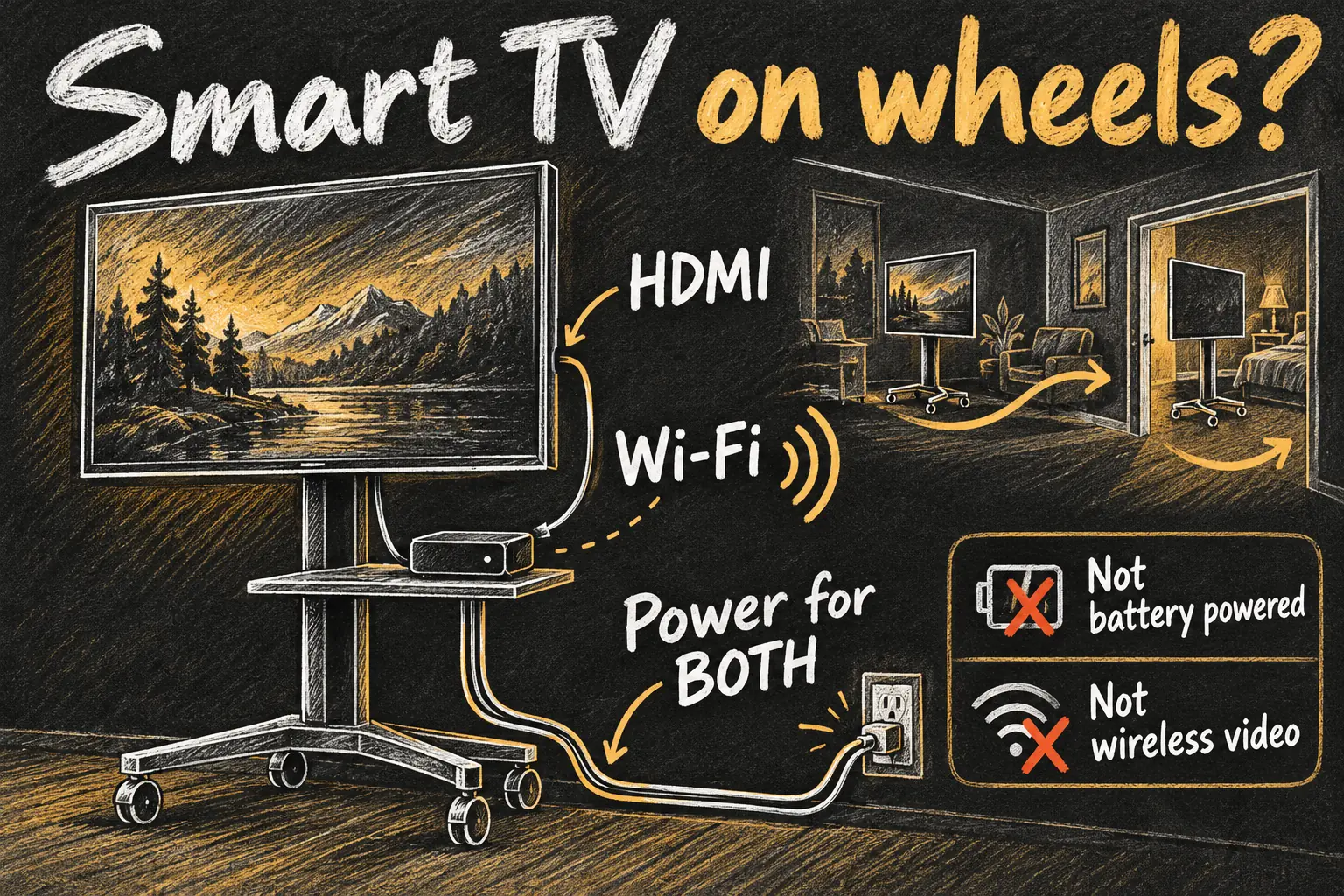
- Choose a stand rated for the screen’s weight, VESA mounting pattern and dimensions. Follow its assembly instructions and secure the box without blocking ventilation.
- Plan HDMI, power and cable slack before moving anything. Keep cables out of wheel paths and unplug safely before relocating the setup.
- Check Wi-Fi and viewing comfort in the actual rooms you intend to use. A screen that is pleasant at a desk may be too small across a living room.
A used Apple TV is most economical here when you already have the display. If you must also buy a TV, stand, mounting accessories and a replacement remote, compare the whole bill with an integrated smart display. A small monitor is another possibility, but confirm HDMI compatibility and how you will get sound.
5. Use an Apple TV home hub for compatible accessories
An Apple TV home hub can support automations and access to compatible Apple Home accessories while you are away. It does not make every ordinary light, camera or appliance smart: the accessory itself must work with your Home setup. Some accessories still need their manufacturer’s bridge.
On Apple TV, open Settings → AirPlay and Apple Home → Room and assign a room. In the iPhone Home app, check Home Settings → Home Hubs & Bridges for the hub status. Keep it powered, connected and at home if you depend on it for remote access.
Thread matters when selecting a used Apple TV for Thread-based Matter accessories. The 2021 model and 2022 128GB Wi-Fi + Ethernet model include Thread; the 2022 64GB Wi-Fi model does not. A supported separate Thread border router can also be relevant, so assess the network you already have rather than buying by storage size alone.
For on-screen control, press and hold the TV button on the remote to open Control Centre and visit the Apple Home tab. Supported cameras and scenes must already be configured in the same home. A movie scene could dim compatible lights; a supported camera view could let you check a doorbell while watching.
Choose a stable location if home control is the main job. Constantly unplugging a rolling TV’s box is inconvenient if that same device is the hub your household relies on. The best Apple TV home hub placement may therefore be different from the most flexible viewing position.
What makes a used Apple TV a good deal?
Compare asking price + missing remote + cables + any stand or mounting costs. Ongoing subscriptions belong in the household budget too. A listing that is cheap by itself can be expensive once it is ready to use. Compare against current new or refurbished alternatives with the support terms that actually apply.
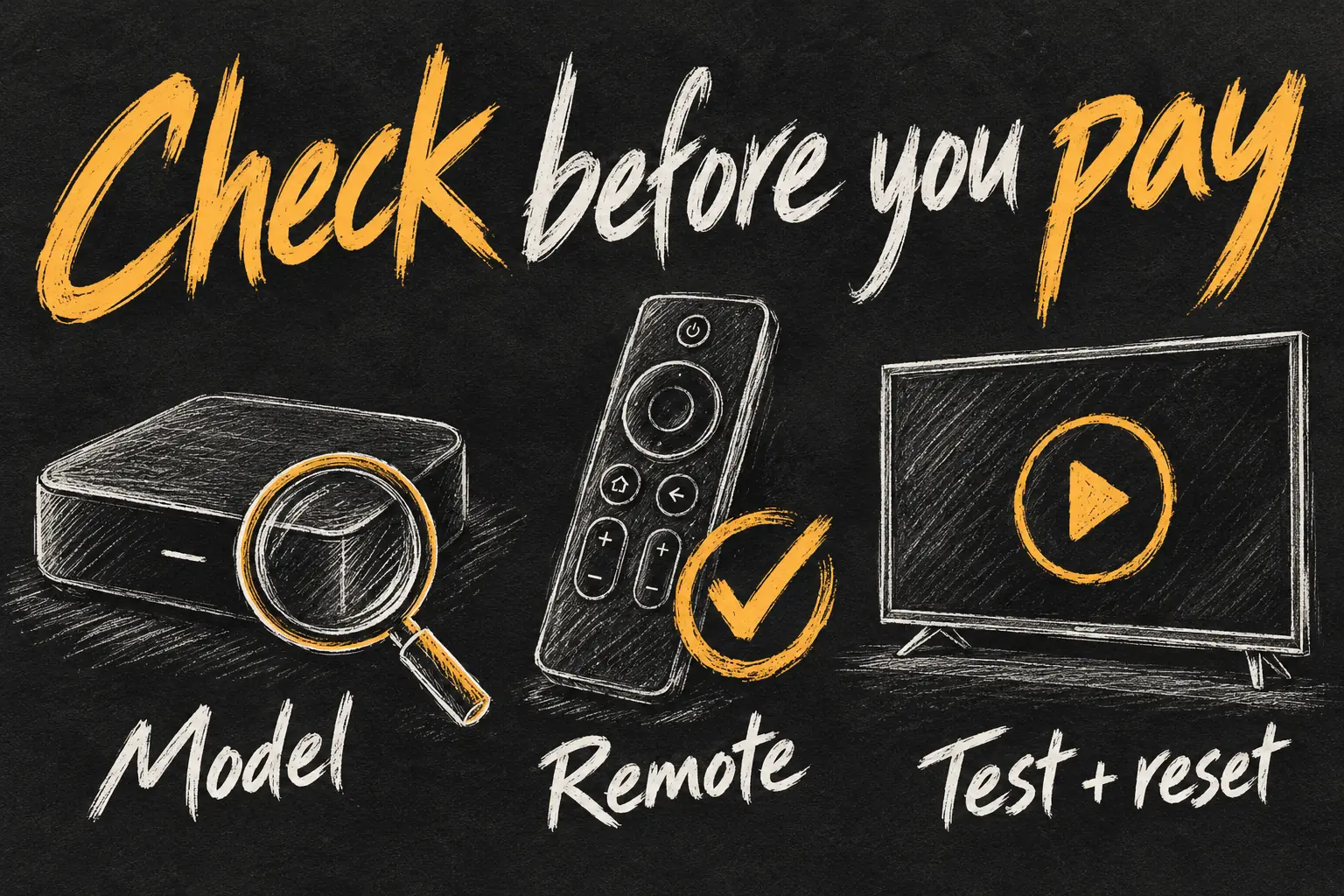
- Identify it: check the model number, storage configuration and software offered by Software Update.
- Try your task: demonstrate a required app, stable picture and sound, network connection and remote navigation. Test Ethernet if that is why you chose the model.
- Inspect the accessories: check the power lead, HDMI connection and remote charging and buttons. Confirm exactly what the seller will include.
- Have the seller reset it: on Apple TV HD or 4K, Settings → System → Reset removes their information. Reset and Update also installs updates with internet access. Keep power connected until it finishes.
- Set it up as yours: confirm it reaches setup and can use your own account. Do not value the seller’s signed-in subscriptions as part of the purchase.
Our Apple TV 4K 2026 versus 2022 comparison covers the separate question of paying for newer hardware. For the uses above, start with what you need to do, then find the least expensive complete setup that does it reliably.
Frequently asked questions
Can I use Apple TV on an old TV without smart features?
Yes, when the display has a suitable HDMI input and the setup meets the network and power requirements. Its original screen resolution and picture limitations remain.
Do I need to subscribe just to use a used Apple TV?
No Apple TV streaming subscription is required simply to operate the box. Individual video services, rentals, music and games can have their own fees.
Can the Apple TV iPhone remote replace a missing Siri Remote?
It can handle supported navigation after connection, but setup and audio control are separate issues. For a second-hand purchase, demonstrate the actual workflow and budget for a physical remote if needed.
Will the rolling TV run on battery?
Not simply because you add Apple TV and a stand. Ordinary TV and Apple TV power requirements still apply. This guide does not propose a battery conversion.
Is every Apple TV 4K a Thread home hub?
No. In particular, the 2022 64GB Wi-Fi model has no Thread radio. Check the exact model and any separate Thread border router in your home.

Sources and Reading Notes
Apple Support: Identify your Apple TV model; Set up your Apple TV 4K or Apple TV HD; Set up the Apple TV Remote on your iPhone or iPad; Use AirPlay to stream video or mirror the screen of your iPhone or iPad; Set up your HomePod, HomePod mini or Apple TV as a home hub; Monitor cameras and run scenes in the Apple Home tab on Apple TV 4K; Reset or restore your Apple TV to its factory settings; About the security content of tvOS 27. LG Australia: StanbyME product information. Checked 23 October 2026.
This guide is based on published manufacturer documentation. The model shortlist, shopping checklist and room-layout examples are editorial recommendations, not personal hands-on testing or a survey of Marketplace or Gumtree prices. Original AI-generated sketches explain concepts and do not show official product images or actual app screens.