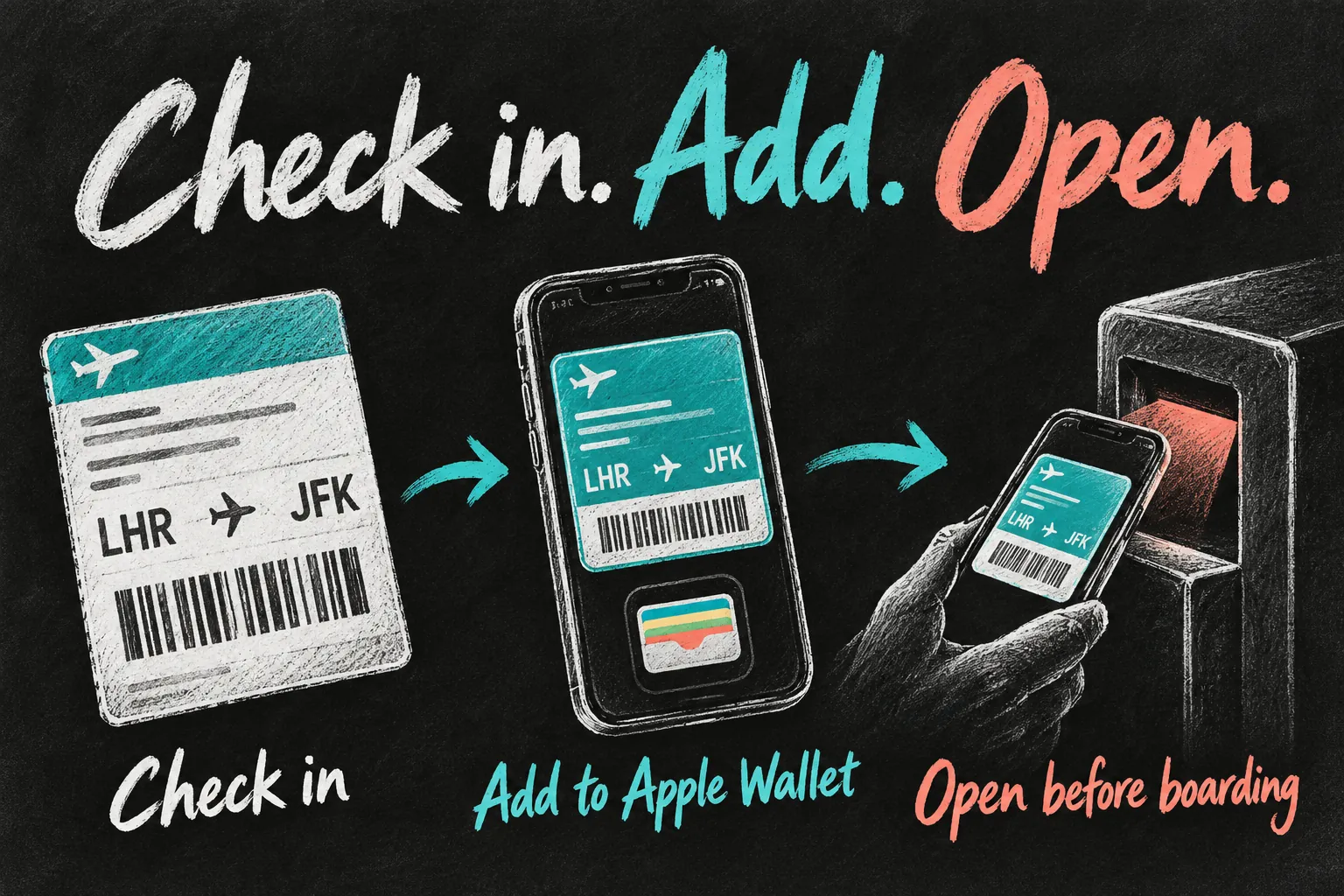
You can save an eligible Qantas or Jetstar boarding pass in Apple Wallet after checking in. Open the boarding pass supplied by the airline, choose Add to Apple Wallet and finish the prompts. Before heading to the gate, open Wallet and check that you have the correct passenger, flight and travel date.
This is more useful than searching through emails while the boarding queue moves. However, a booking confirmation, a frequent-flyer card and a boarding pass are different documents. This research-based guide focuses on the practical iPhone workflow for Australian travellers, with provider instructions checked on 24 October 2026.
Before you dive in
What do you need before adding a boarding pass in Apple Wallet?
Start with a checked-in flight that has an issued mobile pass, your booking details and a working iPhone. Having paid for a ticket does not necessarily mean a boarding pass has been issued yet. If the airline tells you to collect it at the airport, follow that instruction instead of trying to turn the booking email into a pass.
| Item on your phone | What it does |
|---|---|
| Booking confirmation or e-ticket | Records your reservation; not automatically the document scanned to board |
| Frequent-flyer membership card | Identifies your loyalty membership; not the pass for a particular flight |
| Airline-issued mobile boarding pass | The eligible flight document you add to Wallet and present as directed |
| Passport and required travel documents | Still required where applicable; a Wallet pass does not replace them |
Qantas separately offers a digital Frequent Flyer card for Wallet. That can make the two cards easy to confuse. When preparing to board, look for the flight-specific pass rather than assuming any Qantas-branded card is enough.
How to save your Qantas boarding pass
- Open the Qantas app and find your trip. If it is missing, use Trips to add the booking details.
- Check in when the option is available and complete the requested information. Have your passport ready for international travel.
- Once the airline issues your Qantas boarding pass, open it and use the Apple Wallet option. Follow the prompts to add it.
- Open Wallet independently and confirm the flight, passenger and date. Repeat for any other eligible passes you need to carry.
- If no boarding pass is issued, see the airline’s airport staff rather than treating a successful online check-in message as permission to skip the counter.
The Qantas check-in page also provides an online route using your booking reference and surname. It says digital passes can be accessed online or in the app, with a downloadable PDF option. Use the method offered for your particular booking; the app button and web layout can change.
How to save your Jetstar boarding pass
- Add your trip to the Jetstar app, either signed in or as a guest, and complete online check-in if your route is eligible.
- Open the issued mobile pass. Jetstar’s help also describes a Send by SMS option during check-in; open the resulting airline link on your phone.
- Use the Apple Wallet option and save the Jetstar boarding pass before arriving at the gate. Jetstar specifies supported external wallet apps for mobile-pass presentation.
- If travelling as a group, check who holds each passenger’s pass. Make the required individual passes easy to reach rather than relying on the first one displayed.
- If you cannot retrieve a usable pass, return to the airline’s online check-in options or ask airport check-in staff before the applicable closing time.
Jetstar lists eligible JQ domestic flights in Australia and New Zealand, eligible international services and GK domestic flights in Japan. Read the booking’s own requirements: online check-in, mobile-pass eligibility and going straight to the gate are not interchangeable permissions.
How do you use the pass on an iPhone or Apple Watch?
Open Wallet, select the flight’s boarding pass and authenticate if prompted. On supported iPhones, the side-button or Home-button shortcut can provide quick Wallet access. Apple says a boarding pass added on iPhone is also added to a paired Apple Watch. Check that the actual pass is present and readable before depending on the watch.
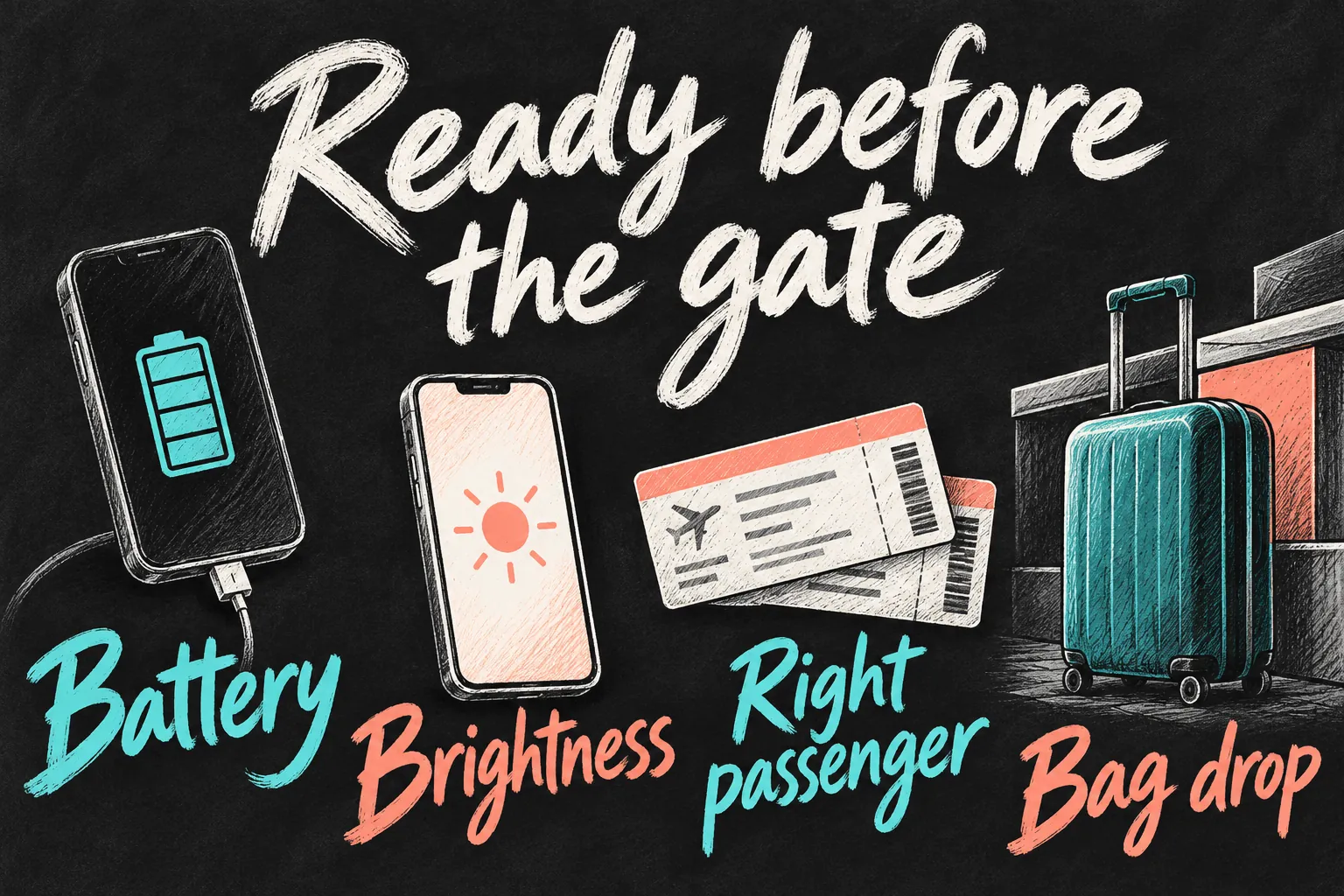
Present the pass as the airport staff or reader requests. Keep the display unobstructed; if a scanner struggles, adjust brightness and ask for assistance. Jetstar specifically recommends turning up screen brightness. A cracked screen or flat battery can make an otherwise valid pass unusable.
What should you check before leaving for the airport?
- Correct flight: verify the date and departure airport, especially on multi-leg trips or after a schedule change.
- Correct passenger: check each pass in a family or group booking. Do not publicly share screenshots containing booking or barcode details.
- Power and access: charge the phone and open the saved pass once before relying on it. Keep a permitted alternative available where the airline provides one.
- Bags and documents: follow baggage-drop and passport-check instructions even if the boarding pass in Apple Wallet looks ready.
- Current information: monitor the airline app, airport screens and announcements for changes. Do not assume a saved image or pass display is the latest operational advice.
For example, a Melbourne-to-Sydney traveller with carry-on only and an eligible issued pass may have a simpler airport sequence than someone connecting overseas with checked baggage. The right guide is your operating airline’s instructions for that itinerary, not another passenger’s route.
What if Add to Apple Wallet is missing?
First confirm you are viewing an issued boarding pass rather than a booking receipt or loyalty card. Open the airline’s current app or original pass communication. Apple advises contacting the issuer if its Wallet option is unavailable. A PDF or image does not become an airline-supported Wallet pass simply because another app can package it.
For a Qantas boarding pass or Jetstar boarding pass that cannot be issued digitally, allow time for airport help. Keep the booking reference available, follow the required document checks and get the appropriate printed pass. Do this before check-in closes, not when boarding is nearly finished.
FAQ
Q. Does saving the pass check me in?
Use the airline’s check-in process first. Saving the boarding pass in Apple Wallet stores the eligible document you are given; it is not a replacement for answering the airline’s check-in questions.
Q. Can I skip bag drop?
Not if you have checked baggage to hand over. A mobile pass helps with access to the flight document, while bag tags and baggage acceptance remain separate tasks.
Q. Is my Qantas Frequent Flyer card enough to board?
Keep the flight-specific boarding pass ready. The membership card and boarding pass serve different purposes.
Q. Is the Wallet pass a substitute for a passport?
No. Carry and present all travel documents your route requires. Being able to open a pass does not waive immigration, identification or airline checks.
Sources and Reading Notes
Checked 24 October 2026. Qantas: Check-in and Digital Wallet guidance for trip access, issued passes and membership-card distinction. Jetstar: mobile boarding-pass help and app guidance for eligible services, Wallet saving, group passes and airport fallback. Apple Support: adding and presenting tickets and boarding passes. This guide explains published procedures rather than a personal flight or airport test. Check your own itinerary for current deadlines, terminal and document requirements.