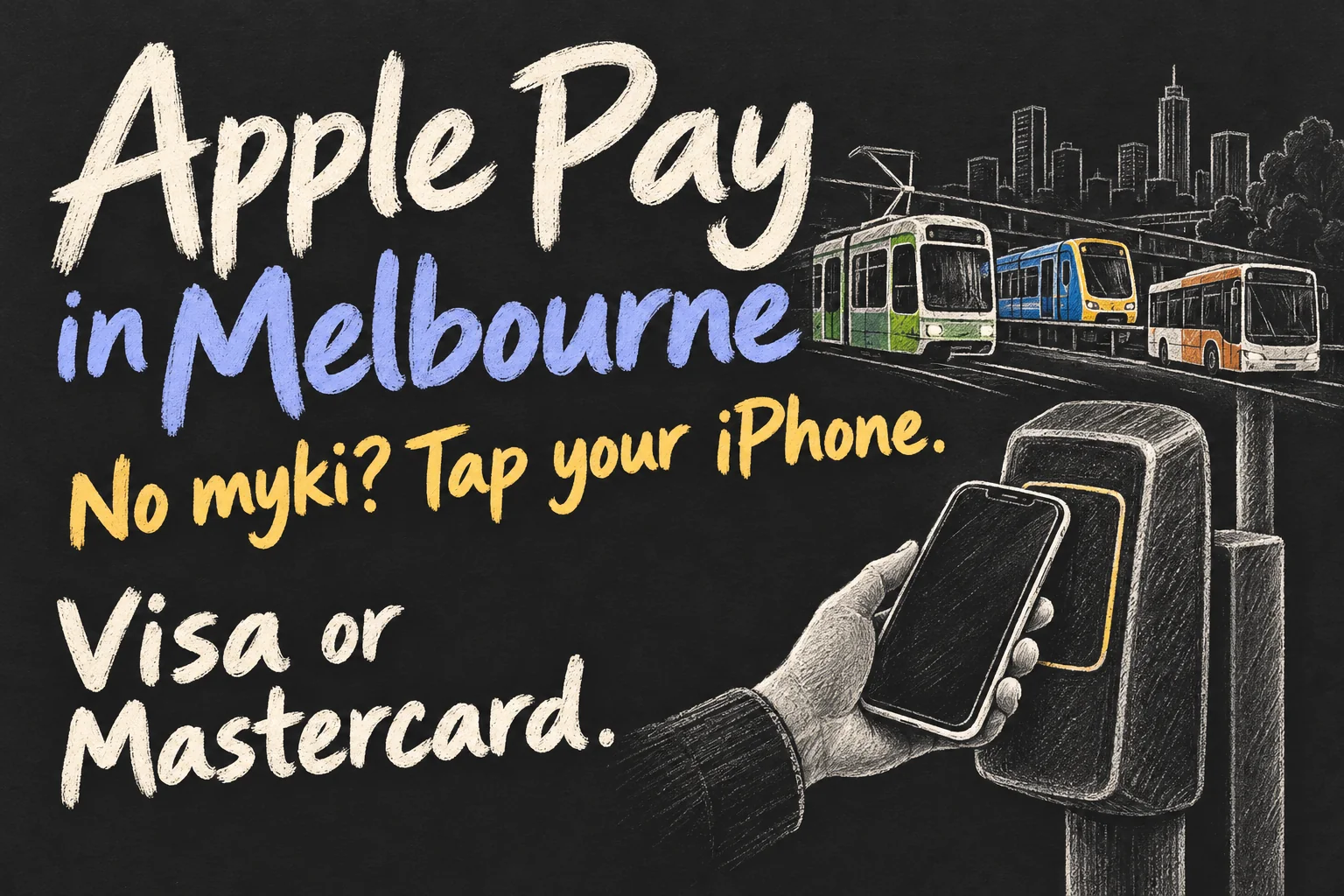
Yes, you can use Apple Pay in Melbourne on metropolitan trains, trams and myki-enabled buses, using an eligible Visa or Mastercard in your iPhone or Apple Watch. You do not need to buy a myki for ordinary pay-as-you-go travel on those services. But this does not put your existing myki balance or pass into Apple Wallet.
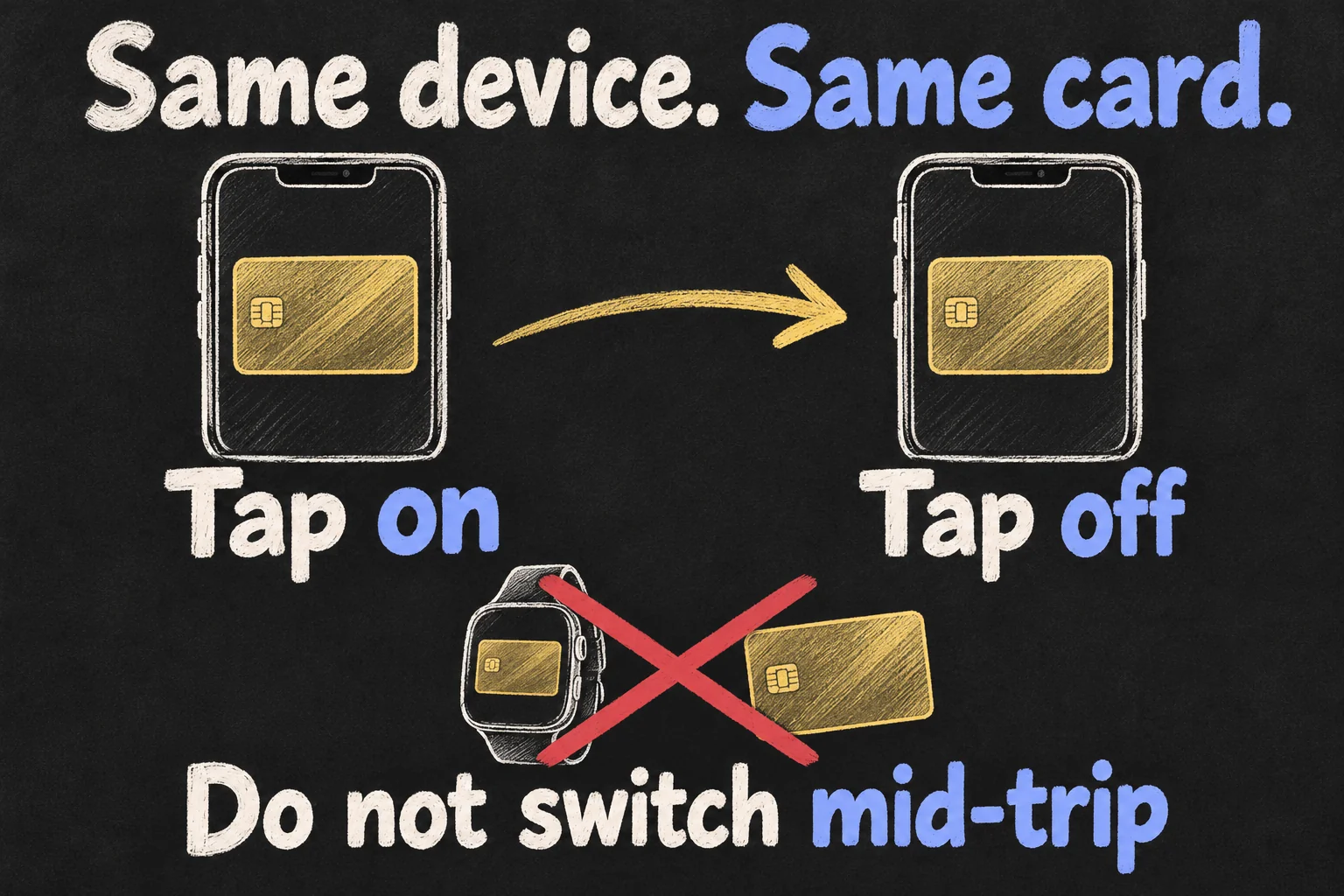
The most important rule is to keep using the same device and the same selected card. Your iPhone, Apple Watch and physical bank card count as separate payment methods, even when they connect to the same bank account. Switching between them can split the journey and its fare calculation.
Checked 17 October 2026 against Transport Victoria and Apple documentation. Service coverage, fares and supported cards can change. This is a documented how-to guide, not a claim of personal test journeys.
Where does Apple Pay in Melbourne work?
| Service | Can you use Apple Pay? | What to check |
|---|---|---|
| Metropolitan trains | Yes, with an eligible payment card | Tap on before travel and tap off at the destination |
| Melbourne trams | Yes, with an eligible payment card | Free Tram Zone and tram-zone tap rules still apply |
| myki-enabled buses | Yes, with an eligible payment card | Tap on when boarding and tap off when leaving |
| Regional/V/Line travel | On contactless-enabled services | Check the specific route; coaches and some reserved travel need a separate ticket |
| SkyBus and private services | Do not assume the myki/contactless rules apply | Use the operator’s own ticket and fare arrangements |
Transport Victoria now lists contactless payments for trains, trams and myki-enabled buses. The July bus rollout announcement set completion across Melbourne for 26 July 2026, so older reports describing train-only trials are not the current guide to metropolitan travel.
For a visitor, the benefit is simple: an eligible bank card already in Apple Wallet can pay the fare without first loading a separate transit balance. For a regular commuter with a myki Pass, the best payment choice needs another check; bank-card tapping does not automatically use that pass.
Which cards work, and is this myki in Apple Wallet?
The supported payment networks listed by Transport Victoria are Visa and Mastercard credit or debit cards, including eligible cards in digital wallets. Do not assume every card in Apple Pay works: Apple Wallet support and acceptance by the transport system are different checks.
The current contactless FAQ does not list American Express as accepted. It also warns that overseas-issued prepaid cards, including examples such as Wise or Monzo cards issued outside Australia, are currently not accepted. If you are visiting from overseas, check your exact card type with Transport Victoria rather than relying only on a Visa or Mastercard logo.
This is bank-card payment through Apple Pay, not a virtual myki. Transport Victoria still describes Mobile myki as an Android option. Paying for a myki top-up with Apple Pay inside the PTV app is another separate activity: it funds the myki instead of making the iPhone the ticket used at the reader.
How to use your iPhone or Apple Watch
- Add an eligible Visa or Mastercard to Apple Wallet through the normal Wallet/bank setup. Make sure the account can cover your travel.
- Choose the device and payment card you will keep using for the journey. If using Apple Watch, make sure that card is available on the watch itself.
- At the station gate or onboard reader, present the chosen device and wait for the reader to confirm a successful tap. A phone being held near the reader is not enough without confirmation.
- Tap off where required using that exact same device and card. Do not finish an iPhone journey with your watch or physical card.
- Keep that device available for an Authorised Officer to check your valid ticket during the journey.
You can use ordinary Apple Pay authentication when Express Mode is not enabled: select your payment card, authenticate as required and present the device. For Express Mode, choose a compatible payment card in Wallet’s Express Travel Settings or Express Mode settings. Apple documents that supported Express Mode use does not require unlocking or Face ID for each tap.
On an iPhone, Apple’s documented path is Wallet → payment card → More → Card Details → Express Travel Settings/Express Mode. For Apple Watch, use the iPhone’s Watch app, then My Watch → Wallet & Apple Pay → Express Travel Card. Menu wording can vary with software and card support.
Express Mode is optional. It does not override the transport system’s supported-card rules or turn an unsupported card into a valid ticket. Keep a charged device for the journey rather than assuming every card will work after its battery runs out.
When do you tap off on trains, buses and trams?
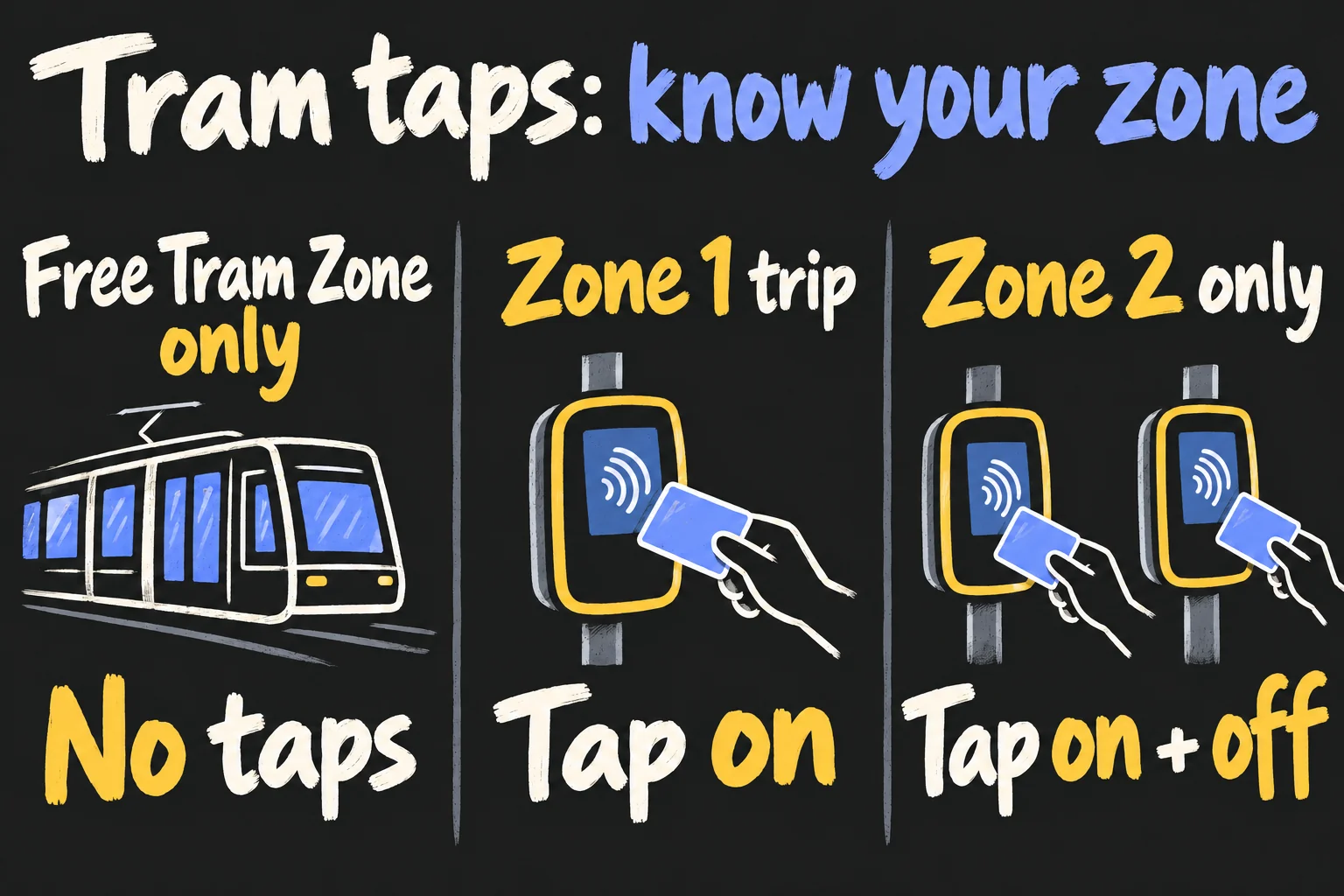
The transport type matters. In particular, a tram trip wholly within the Free Tram Zone is different from boarding in the city and continuing beyond the zone. Check your entire journey, not just the stop where you get on.
| Journey | Tap on? | Tap off? |
|---|---|---|
| Train | Yes | Yes |
| myki-enabled bus | Yes | Yes |
| Tram trip starting and ending in Zone 1 | Yes | Not required |
| Tram trip starting and ending in Zone 2 | Yes | Yes, for the correct Zone 2 fare |
| Tram entirely within the Free Tram Zone | No | No |
These distinctions are shown in Transport Victoria’s visitor and tapping guidance. For other tram-zone combinations or an unfamiliar regional journey, follow the current route/fare guidance rather than treating every tram trip as a Free Tram Zone ride.
A practical example: a short tram trip entirely inside the signed Free Tram Zone needs no tap. If that ride continues outside the zone, it becomes a paid journey and you must tap on. Do not assume the first part being free makes the whole ride free.
What does it cost, and does the daily cap still apply?
Contactless payments use the same applicable pay-as-you-go fares as myki. That does not mean every myki product is available through a bank card. Transport Victoria advises weekly/monthly pass users to keep using myki for those products.
There is also a time-sensitive fare promotion: Transport Victoria says public transport is half price from 1 June 2026 until 1 January 2027. Its published maximum daily fares during this period are A$5.70 for full fare and A$2.85 for concession, with individual journeys potentially costing less. Check the live fare information for your zones, eligibility and travel date; these figures should not be treated as permanent 2027 prices.
Keep the same payment method across paid services if you want the taps to contribute to the same fare calculation and daily cap. Paying on the bus with your phone and on the train with your physical card can separate them. A daily cap is not a reason to switch devices.
Pending bank transactions are not necessarily the final day’s fare. Transport Victoria says payments can take up to three days to appear, depending on the bank/provider. Compare the completed fare and contactless travel history before deciding you have been charged incorrectly.
Concession travellers: link the specific card or device
Eligible concession holders can now use contactless payments, but the concession must be linked. The current official process is to travel once using the chosen contactless payment method, then use the contactless portal to link the concession entitlement.
Complete both steps on the same day for the initial full fare to be automatically adjusted. Transport Victoria says processing can take at least 10 business days, with the linked concession available from the next day you travel. If the two steps happen on different days, its guidance says you need to apply for a refund for the earlier fare.
Each physical card, iPhone and Apple Watch must be linked separately; linking a bank account is not enough. The official instructions say to set up different payment methods one at a time on separate days. Carry your proof of concession and continue using your existing Concession myki if you prefer.
Do not assume a child’s or young person’s free travel entitlement follows an adult bank card. Under-18 free travel uses the Youth myki arrangements. Free-travel passes and special products need their own eligibility check.
Common mistakes to avoid on Melbourne public transport
Mixing the phone and watch: decide before the first tap. They are separate payment methods even with the same card behind them. For example, an iPhone tap-on should end with that same iPhone and selected card.
Carrying several cards against the reader: present only the card or device you intend to use. Keep a physical myki or bank card in a phone case away from the reader so it does not become an accidental competing tap.
Using one card for a group: each passenger needs their own valid ticket. Transport Victoria permits one person per card or device, not multiple travellers through repeated taps of one payment method.
Assuming a declined tap is a ticket: wait for the reader’s successful confirmation. If it fails, check another valid payment option or speak to staff before travelling. A screenshot of a bank transaction is not a substitute for the device used as your ticket.
Throwing away a useful myki too soon: keep it if you rely on an existing pass, a concession setup you have not linked, or a travel product not supported by contactless. The new system adds a choice; it does not invalidate myki.
Frequently asked questions
Can I use Apple Pay in Melbourne without buying a myki?
Yes, for eligible pay-as-you-go travel on metropolitan trains, trams and myki-enabled buses. Use an accepted Visa or Mastercard in Apple Wallet. Check special fares, passes and services separately.
Can I transfer my physical myki balance into Apple Wallet?
This contactless feature does not provide that transfer. Mobile myki is described by Transport Victoria as Android-only; using a bank card through Apple Pay is a separate payment method.
Can I tap on with iPhone and off with Apple Watch?
Do not switch. Use the same device and selected card so the system can match the taps and calculate the fare correctly.
Do I tap inside the Free Tram Zone?
Not when the tram trip begins and ends wholly inside that zone. If your trip extends outside it, follow the paid-travel tap requirements.
Is Apple Pay always cheaper than myki?
No. The applicable pay-as-you-go fares are the same, while passes and special entitlements can change which option suits you. Choose based on your actual travel and fare eligibility.
Sources and reading notes
Primary sources checked 17 October 2026: Transport Victoria, Contactless payments, Contactless payment FAQs, Visitors to Victoria, Tap and go with the flow, Link your concession to contactless payments, Mobile myki, Use Apple Pay on the PTV App, and Public transport now half price for everyone. Rollout context: Victorian Premier, Tap And Go Rolling Out On Buses, 16 July 2026.
Apple Support Australia: Use Express Mode with public transport cards, passes and keys in Apple Wallet. Setup instructions describe eligible cards and supported devices; local acceptance and fares follow Transport Victoria’s rules.
The illustrations are original AI-generated explanations, not official reader screens, bank-card details or a geographical map. The advice separates Apple Pay bank-card travel from digital myki and existing myki passes.
Prefer reading about Apple in Korean?
 Apple-worldApple news, tips and buying guides in Korean.blog.naver.com/apple-world ↗