Is AirTag worth it? For an iPhone user who regularly misplaces keys, shares a bag or checks luggage, it can be a useful small purchase. Start with one item you actually lose. AirTag helps locate belongings; it is not a live GPS tracker, a theft alarm or a guarantee that a missing item will come back.
Apple Australia lists the current second-generation AirTag at A$49 for one or A$165 for four, checked on 22 October 2026. This guide explains useful routines, the real setup requirements and the limits to understand before buying. It is based on published documentation, not our own range or recovery tests.
Before you dive in
How does AirTag work when your item is far away?
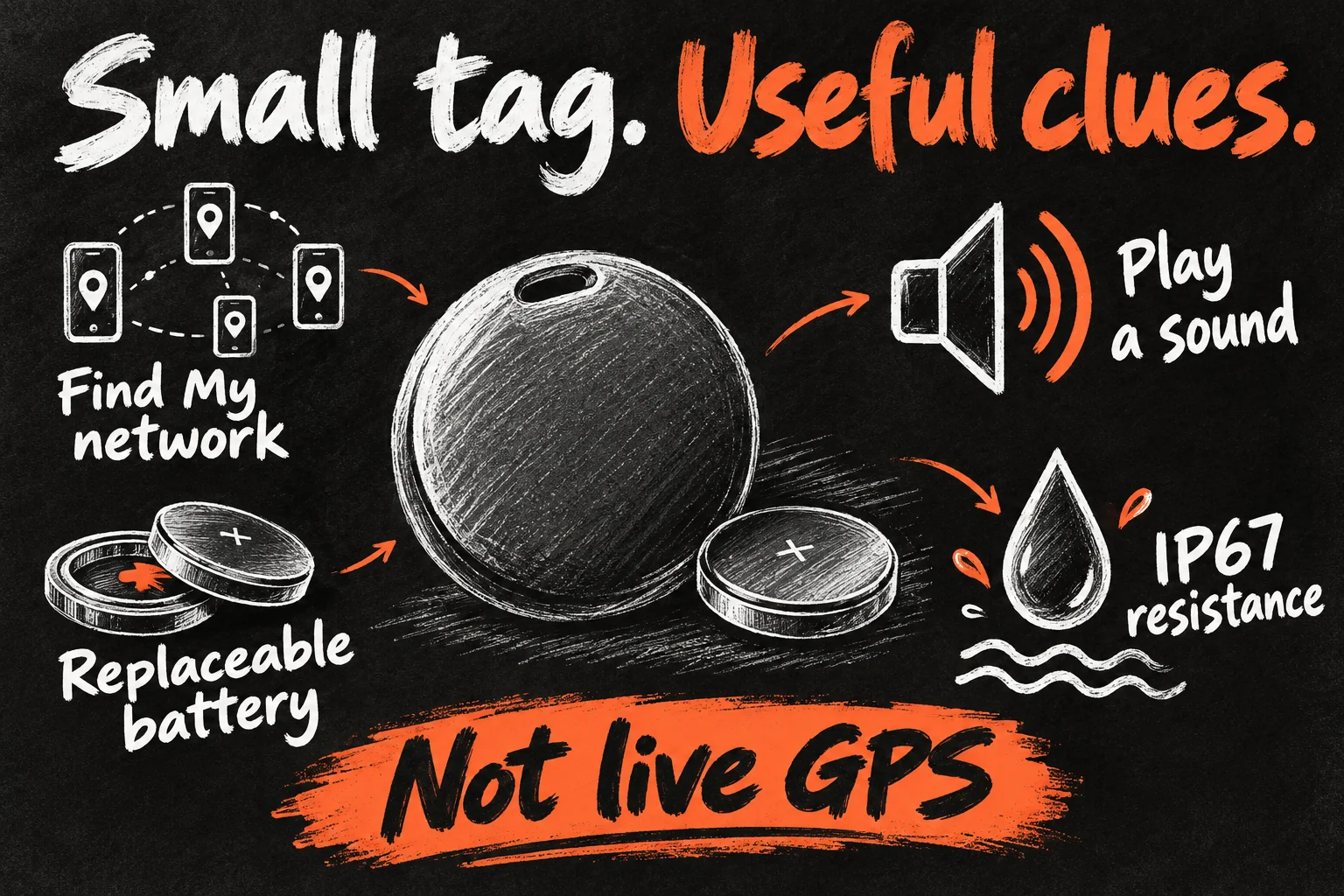
Think of two different situations. Nearby, you can make the tag play a sound and, with compatible hardware, use Precision Finding for distance and direction. Farther away, another participating Apple device may detect the tag’s Bluetooth signal and relay its location through the Find My network. You then see an available location in Find My.
The tag does not have its own mobile plan or satellite GPS connection. This makes a busy airport or café a different environment from an isolated walking track. A location update needs a detection opportunity; there is no promised refresh interval. Always read the last-seen time, rather than interpreting every map pin as the item’s current position.
AirTag features that matter before you buy
| Feature | Practical meaning |
|---|---|
| Nearby help | Built-in sound; Precision Finding on supported devices |
| Away from you | Bluetooth detection through the Find My network |
| Battery | Replaceable CR2032; Apple claims more than a year under its test conditions |
| Physical size | 31.9mm diameter, 8.0mm thick; 11.8g |
| Resistance | IP67: laboratory testing at up to 1m for 30 minutes |
| Attachment | Budget for a suitable holder when attaching it to keys |
Apple describes the newer speaker as louder and its Precision Finding range as expanded. Treat those as manufacturer comparisons, not a promise that you will hear it through every sofa or get directions through concrete walls. The useful test is whether your phone can find the tag where you normally leave things.
5 everyday uses that can make AirTag worth it
- Keys before leaving home. A sound can cut down a familiar search through jackets and cushions. Put the tag on the key set that repeatedly goes missing, then check that the holder stays secure.
- A work or university bag. It can help distinguish a bag left at home from one last detected elsewhere. Secure the tag in a suitable pocket and keep the bag’s name clear in Find My.
- Shared household items. A shared key set or equipment bag is a stronger case than tagging every object you own. Share the item properly with the people who borrow it so they can help locate it too.
- Checked travel luggage. AirTag for luggage can provide an additional location clue if the airline delays a bag. Set it up before travelling and keep the normal baggage receipt.
- A camera or sports-equipment bag. It can help locate an accidentally abandoned bag. It does not prevent someone taking it, protect the contents or replace appropriate insurance.
For a slim wallet, check the physical fit before buying a holder. A coin-shaped tag can add an awkward lump. A compatible card-shaped tracker may suit that particular job better; check its ecosystem, battery arrangement and current price separately. Buy for the object, rather than making the object fit the accessory.
AirTag for luggage: what to do if the bag is delayed
Before a trip, name each bag distinctly, confirm it appears in Find My and test its sound. Place the tag securely inside the bag rather than relying on an exposed decorative attachment. Check your airline’s current rules for the complete luggage and tracker setup, particularly if you use other battery-powered accessories.
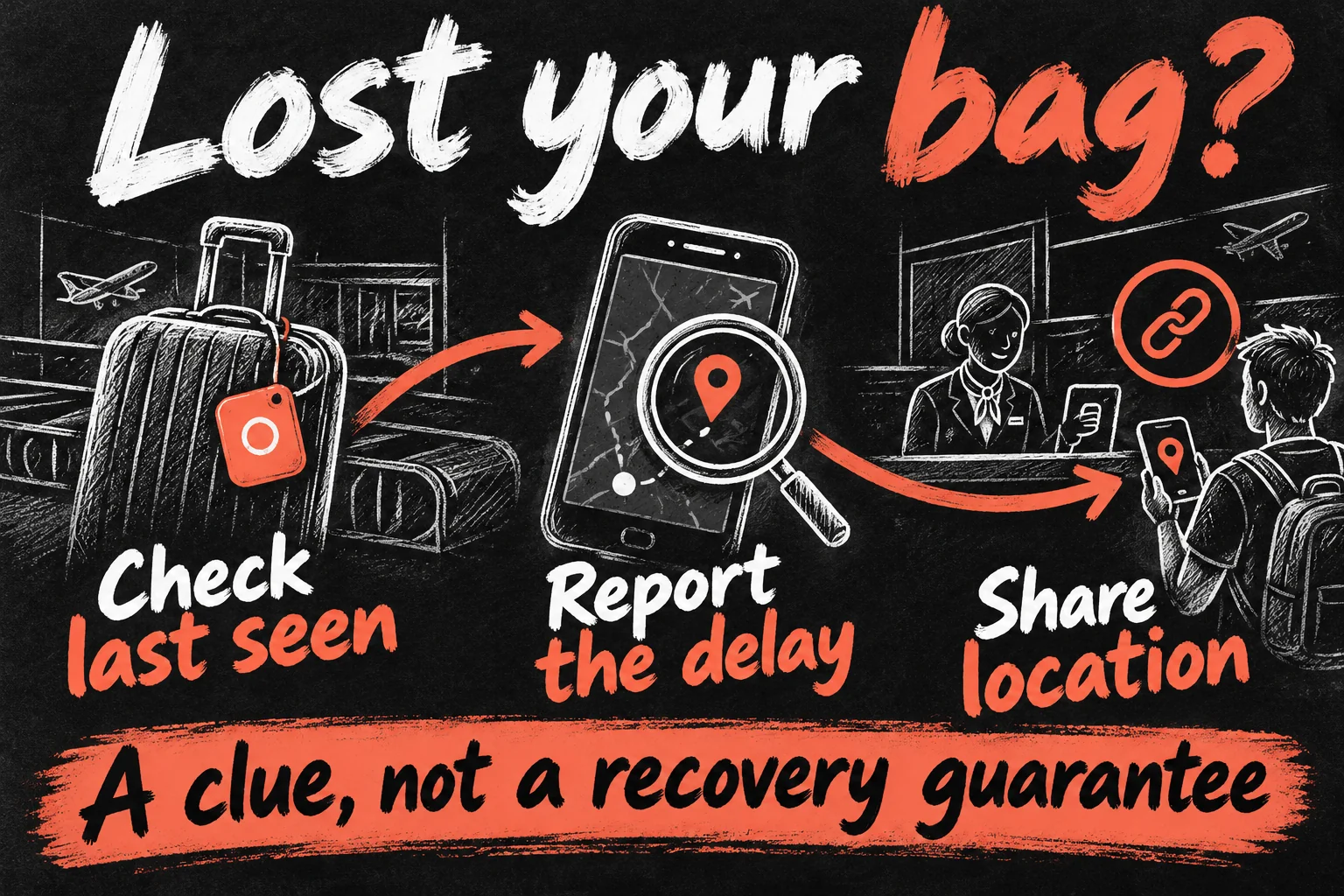
- Check the timestamp. A bag last detected at the departure airport is a clue, not proof that it has not moved.
- Report the delay through the airline. Keep your baggage receipt and report reference. Qantas says tracker location sharing is available after lodging a delayed-baggage report.
- Create Share Item Location in Find My. Open Items, choose the bag and use the available sharing option. Provide the link through the airline’s official report process if it accepts it.
- Keep the report open and follow the airline’s instructions. A pin does not authorise entry into an airport work area or tell staff exactly how to retrieve a bag.
Qantas lists Apple AirTag among the compatible trackers for sharing with its baggage team. This is distinct from the Qantas app’s own baggage-status updates. Do not assume every airline, flight or reporting system has the same integration. Apple’s temporary Share Item Location link expires after seven days or stops earlier when you are reunited with the item; you can also end sharing.
AirTag setup: test it before the first lost item
Apple’s current setup guide requires iOS or iPadOS 26.2.1 or later for AirTag (2nd generation). Older first-generation setup requirements differ. Update your device and check the generation you are buying; an old compatibility article can describe the original tag.
- Enable Bluetooth, Location Services and Find My network, and finish any Apple Account setup prompts.
- Bring one AirTag near your unlocked iPhone or iPad, tap Connect and give it a name that identifies the actual item.
- Complete the account-linking steps, then open Find My → Items and select it.
- Test Play Sound. If supported, try Find Nearby and move around the room to understand how it responds.
Precision Finding needs a supported Ultra Wideband device; a phone being able to pair with AirTag does not prove it supports every finding feature. Walls, obstructions and distance can affect it. If you see no nearby direction option, check hardware support and Find My’s precise-location permissions before assuming the tag is faulty.
This is also worth checking after moving to another phone. Our new iPhone transfer guide explains why account access and verification should be checked before erasing the old device. Keep recovery details current so an accessory does not become tied to an account you can no longer access.
Sharing keys is different from sharing a lost-bag link
For routine borrowing, Apple lets the owner share an AirTag with up to five other people, for six users in total. They need eligible Apple Accounts, iCloud Keychain and supported software; child accounts are not supported. In Find My, select the item and use Add Person under the sharing section, then have the borrower accept the invitation.
Accepted borrowers can locate the shared item and do not receive the usual unwanted-tracking notification for that shared item moving with them. A Family Sharing relationship alone should not be treated as proof that a particular tag is already shared. The temporary airline link serves a separate recovery job; do not use it as a substitute for setting up household sharing.
Where AirTag is the wrong tool
People and pet safety are different requirements. Do not rely on AirTag to locate a child or a roaming animal in real time. It follows opportunities for nearby network detection, not a guaranteed live connection. If you need dependable live updates, compare a purpose-built service with appropriate coverage and alerts.
A stolen bike or car is not a routine lost-item search. AirTag may provide a clue, but anti-tracking features can alert someone carrying it. It is not a concealed vehicle-security system. If a location suggests theft, preserve the available information and seek appropriate assistance rather than confronting someone based on a pin.
An Android phone can interact with certain safety or found-item features, but that does not make it the normal owner setup for AirTag. For an Android household, compare a tracker designed for the phone’s own finding network. If an unknown tracker alert appears, follow the phone’s safety instructions instead of dismissing it as a harmless error.
One AirTag or a four-pack: what should you spend?
At Apple Australia’s checked prices, a four-pack works out to A$41.25 per tag. It saves A$31 compared with four individual A$49 purchases, but costs A$116 more upfront than buying one. There is no saving in buying three extra tags with no clear job. Holders and future replacement batteries add to ownership cost; AirTag itself does not require a separate tracking subscription.
My starting recommendation is one tag for the item that costs you the most time or inconvenience when misplaced. Check whether you actually use it over several weeks. A household with several shared keys and checked bags may have a clear four-pack plan from day one; an occasional traveller with organised pockets may not need any.
If you already own a working original AirTag, identify the problem before replacing it. A louder sound or wider nearby-finding range matters only when the old setup leaves you searching. A battery replacement or better attachment may be the more useful next purchase. Follow Apple’s battery instructions and keep coin cells away from children.
Frequently asked questions
Does AirTag need Wi-Fi or a SIM card?
The tag has no SIM or direct Wi-Fi connection. It broadcasts Bluetooth; nearby Find My network devices can relay a location, while your viewing device needs access to the service.
Can I see a live travel history?
Do not expect a continuous GPS route or fixed update interval. Read the last-seen information available in Find My.
Is AirTag waterproof?
It is rated IP67 under laboratory conditions. Resistance is not permanent waterproof protection, and a holder does not automatically improve the rating.
Can someone who finds my bag contact me?
Lost Mode can make chosen contact information available to someone who taps the tag with an NFC-capable smartphone. Choose information you are comfortable sharing.
Can AirTag replace the airline’s baggage claim?
No. File the delayed-baggage report and use location sharing only as an additional recovery aid where supported.
Sources and Reading Notes
Apple Australia: AirTag product page, second-generation technical specifications and purchase page. Apple Support: Add an AirTag to Find My; Use AirTag and Find My; Share an AirTag; Share location of a lost item; unwanted tracking alerts. Qantas: Baggage tracking and delayed-baggage location sharing. Checked 22 October 2026. Prices are Australian dollars; check the final local purchase total and accessory costs.
MacRumors, Macworld and Tom’s Guide were benchmark reading for article structure and questions readers ask. This guide adds an Australian purchase calculation and a practical luggage-report workflow. Recommendations are editorial judgement; no personal range, battery or recovery testing is claimed. All illustrations are original AI-generated concepts, not Apple photographs or actual Find My screens.