Apple One Australia is worth checking if you already pay for several Apple services, but the bundle is not automatically cheaper for everyone. Add the subscriptions you would genuinely keep, compare that total with the suitable Apple One tier, then check whether its iCloud storage is enough.
For one person who only needs Apple Music Individual and 50GB of iCloud+, the listed separate total is A$16.48 a month, below Apple One Individual at A$24.95. If you would also pay A$15.99 for Apple TV, the same comparison becomes A$32.47 separately versus A$24.95 bundled: A$7.52 saved each month. These Australian list prices were rechecked on 2 November 2026; trials, student rates and third-party offers need a separate calculation.
In 3 Points
Apple One Australia prices: what are you buying?
| Plan | Monthly price | Included iCloud storage | Main difference |
|---|---|---|---|
| Individual | A$24.95 | 50GB | Apple Music for one person, plus Apple TV, Arcade and iCloud+. |
| Family | A$34.95 | 200GB | Includes family Apple Music and sharing for up to five other family members. |
| Premier | A$52.95 | 2TB | Adds Fitness+ and News+ to the family bundle. |
All figures are Australian dollars. The storage shown is the plan’s total allowance, not 200GB or 2TB for each person. Household members keep their own Apple Accounts; joining a shared subscription is not a reason to share one password.
Apple advertises savings against buying all included services separately. That comparison is mathematically useful, but it answers a different question from yours. If you never intended to pay for Arcade, counting its full price as money saved makes the bundle look more valuable than it is to your household.

Calculate the services you actually use
For these examples, Apple Music is A$14.99/month for Individual and A$23.99 for Family. Standalone iCloud+ costs A$1.49 for 50GB, A$4.49 for 200GB or A$14.99 for 2TB. Apple TV is A$15.99/month on Apple’s current Australian comparison. These are ongoing list prices rather than temporary device offers.
| Your actual needs | Separate monthly total | Relevant bundle | Result at these prices |
|---|---|---|---|
| One person: Music + 50GB | A$14.99 + A$1.49 = A$16.48 | Individual A$24.95 | Separate is A$8.47/month cheaper. |
| One person: Music + TV + 50GB | A$14.99 + A$15.99 + A$1.49 = A$32.47 | Individual A$24.95 | Bundle is A$7.52/month cheaper. |
| Household: Music Family + 200GB | A$23.99 + A$4.49 = A$28.48 | Family A$34.95 | Separate is A$6.47/month cheaper. |
| Household: Music Family + TV + 200GB | A$23.99 + A$15.99 + A$4.49 = A$44.47 | Family A$34.95 | Bundle is A$9.52/month cheaper. |
| Household: Music Family + TV + 2TB | A$23.99 + A$15.99 + A$14.99 = A$54.97 | Premier A$52.95 | Bundle is A$2.02/month cheaper, before valuing other services. |
The first two examples show why one universal recommendation is unhelpful. The same Individual bundle costs an extra A$101.64 a year for the music-and-storage user, but saves A$90.24 a year for someone who would otherwise keep all three services. Both calculations assume unchanged prices for 12 months.
For two listeners, compare the legitimate Family music tier with the household’s needs rather than buying two Individual plans by default. Our Apple Music family-plan guide explains that separate decision. If you qualify for student pricing or already receive a service through another offer, use your actual charge instead of the list price above.
Check iCloud storage before choosing a tier

Open Settings → your name → iCloud and note the storage currently used. Repeat the check for family members who will join the shared pool. A lower bundle price is not a complete comparison if you must immediately add another storage subscription.
For example, a household using 600GB cannot treat the Family bundle’s 200GB as sufficient. Compare Premier with Family plus the additional iCloud+ plan you would need. Separate storage can be combined with Apple One, so Premier is not the only possible route; calculate the whole bill.
Apple says the handling of an existing iCloud+ plan depends on whether the bundle includes more, the same amount or less storage. A lower included allowance can leave both subscriptions active. Equal storage can remain alongside the bundle during a trial and then consolidate. Do not assume every existing storage payment vanishes on the first day.
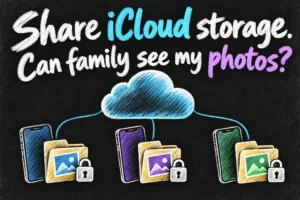
Shared storage does not make everyone’s personal photos visible. Check current usage before downgrading; reducing an allowance is not a method of moving files to another service.
Switch without guessing what happens to your subscriptions
- List your current subscriptions and renewal dates, including any service billed through a provider or another Apple Account.
- On iPhone or iPad, open Settings → your name → Subscriptions → Apple One, then choose the tier you have calculated. Read the price and renewal terms shown for your account.
- Apple says existing included service subscriptions, other than iCloud+, are automatically cancelled when Apple One billing takes over, with applicable pro-rata handling. An Apple One trial can change the timing.
- After activation, check the subscription screen, iCloud allowance and family access. Reconcile the next bill instead of assuming a bundled logo proves everything transferred.
Free trials are account- and offer-dependent. Apple’s subscription support also describes circumstances where someone moving from a higher combined Apple-service bill may transition without a trial. The offer visible on your own account is the relevant one; avoid building a yearly budget around a trial you have not confirmed.
Review it after one normal month
Before subscribing, write down which services you expect to use. After a normal month, check that list against reality. Did the family watch the programmes it planned to watch? Did anyone use Arcade or Fitness+? Is the storage useful, or does a larger tier still leave you needing an add-on?
This is a practical way to avoid confusing access with value. An unused service can be enjoyable to have available, but it is not automatically equivalent to cash saved. Choose the lowest total cost that still covers the services and capacity you want.
If you decide to leave, review the subscriptions and storage you will retain before cancelling or downgrading. Do not reduce cloud capacity below the space your family relies on without a plan for the data. Subscription cancellation and cloud-file deletion are separate actions.
Check the bill after the switch
Use a simple four-column note: service, billing provider, next renewal date and expected charge after switching. Compare the next statement with that note. A subscription charged by another provider needs checking with that provider; do not assume a new Apple bundle has ended every old payment. For the annual budget, multiply the continuing monthly total, including any extra iCloud storage, by twelve. Keep one-off trial savings separate from that ongoing cost.

Frequently asked questions
Is Apple One Australia cheaper for one person?
It depends on the services. In the examples above, Music plus 50GB costs less separately; adding a separately paid TV subscription makes the Individual bundle cheaper at the checked prices.
Does everyone get their own 200GB?
No. The Family tier provides one 200GB storage pool, shared by members who choose that storage. Each person still uses a separate account.
Should I choose Premier just for more storage?
Compare Premier with a smaller bundle plus extra iCloud+, or separate services. Count Fitness+ and News+ only if you actually value them; more included services alone do not decide the result.
Sources and reading notes
Apple Australia: Apple One plan comparison, Apple Music pricing and iCloud+ pricing. Apple Support: How to subscribe to Apple One; What happens to your iCloud storage when you sign up for Apple One. Comparison reading included Finder’s bundle explainer, WhistleOut’s Australian price-change coverage and TechRadar’s subscription-price report; older figures were not used where they differed from current official pages. All calculations use the prices checked on 26 October 2026 and assume no later changes. This is a research-based comparison, not an account billing test. Images are original AI-generated explanations.
Revision check, 1 November 2026: Apple Australia, Apple One.